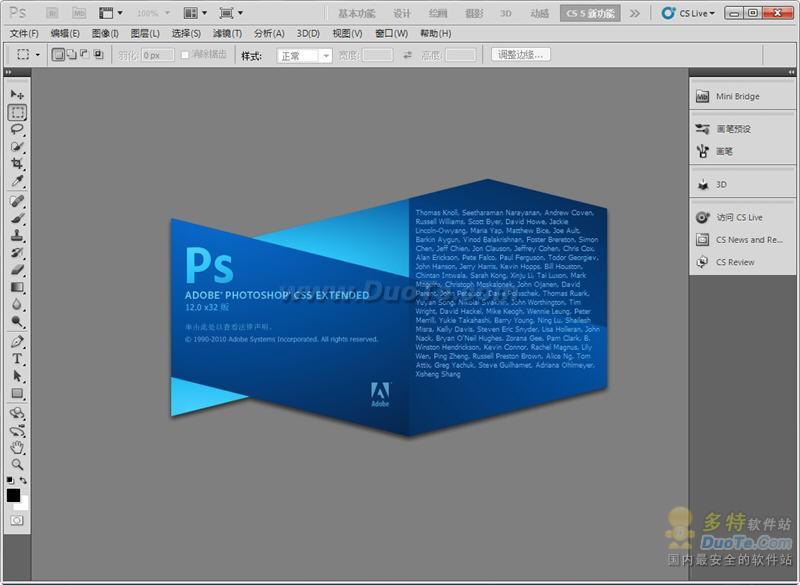
adobe Photoshop CS5 Extended 是电影、视频和多媒体领域的专业人士, 使用 3D 和动画的图形和 Web 设计人员, 以及工程和科学领域的专业人士的理想选择。呈现 3D 图像并将它合并到 2D 复合图像中。轻松编辑视频图层上的动画图形, 让时间停下来。以及使用测量、计数和可视化工具, 探查您的图像。 CS5中最闪亮的明星莫过于Photoshop CS5。作为Adobe的核心产品,Photoshop CS5历来最受关注,Adobe也在去年底发布了其测试版。
选择Photoshop CS5的理由不仅仅是它会完美兼容Vista,更重要的是几十个激动人心的全新特性,诸如支持宽屏显示器的新式版面、集20多个窗口于一身的dock、占用面积更小的工具栏、多张照片自动生成全景、灵活的黑白转换、更易调节的选择工具、智能的滤镜、改进的消失点特性、更好的32位HDR图像支持,等等等等。另外,Photoshop从CS5首次开始分为两个版本,分别是常规的标准版和支持3D功能的Extended(扩展)版。
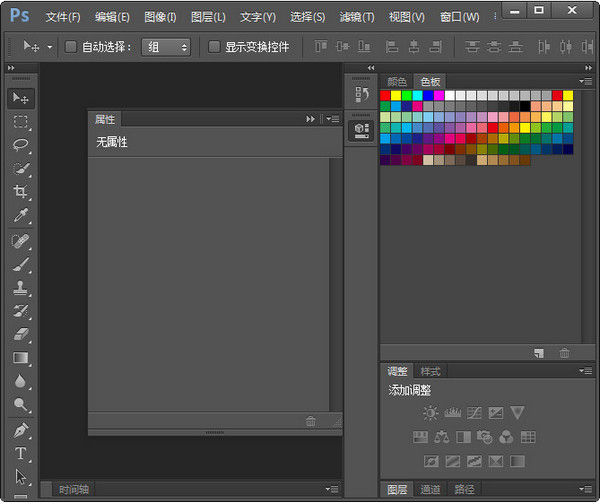
1、Photoshop CS5最大的改变是工具箱,变成可伸缩的,可为长单条和短双条。
2、工具箱上的快速蒙版模式和屏幕切换模式也改变了切换方法。
3、工具箱的选择工具选项中,多了一个组选择模式,可以自己决定选择组或者单独的图层。
4、工具箱多了快速选择工具Quick Selection Tool,应该魔术棒的快捷版本,可以不用任何快捷键进行加选, 按往不放可以像绘画一样选择区域,非常神奇。当然选项栏也有新、加、减三种模式可选,快速选择颜色差异大的图像会非常的直观、快捷。
5、所有的选择工具都包含重新定义选区边缘(Refine Edge)的选项,比如定义边缘的半径,对比度,羽化程度等等,可以对选区进行收缩和扩充。另外还有多种显示模式可选,比如快速蒙版模式和蒙版模式等,非 常 方便。举例来说,您做了一个简单的羽化,可以直接预览和调整不同羽化值的效果。当然,选择菜单里熟悉 的羽化命令从此退出历史舞台。
6、调板可以缩为精美的图标,有点儿像CorelDraw的泊坞窗,或者像Flash的面板收缩状态,不过相比之下这个更酷,两层的收缩,感觉超棒!
7、多了一个“克隆(仿制)源”调板,是和仿制图章配合使用的,允许定义多个克隆源(采样点),就好像word有多个剪贴版内容一样。另外克隆源可 以进行重叠预览,提供具体的采样坐标,可以对克隆源进行移位缩放、旋转、混合等编辑操作。克隆源可以是针对一个图层,也可以是上下两个,也可以是所有图 层,这比之前的版本多了一种模式。
8、在Adobe Bridge的预览中可以使用放大镜来放大局部图像,而且这个放大镜还可以移动,还可以旋转。如果同 时选中了多个图片,还可以一起预览,真是酷毙了。
9、Adobe Bridge添加了Acrobat Connect功能,用来开网络会议的,前身是Macromedia的降将Breeze。
10、Bridge可以直接看Flash FLV格式的视频了,另外Bridge启动感觉好快,比CS2和CS两个版本都要快,没有任 何拖累感和“死机感”。
11、在Bridge中,选中多个图片,按下Ctrl G可以堆叠多张图片,当然随时可以单击展开,这个用来节省空间
12、新建对话框添加了直接建立网页、视频和手机内容的尺寸预设值。比如常用的网页Banner尺寸,再比如常见的手机屏幕尺寸等等……
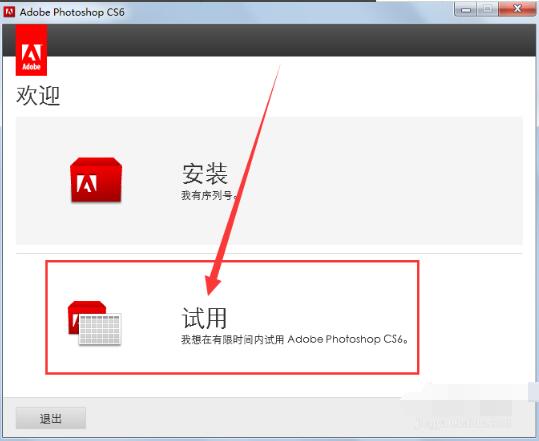
1、在本站下载adobephotoshopcs6软件后,使用360解压软件解压后,点击.exe文件进入adobe photoshopcs6欢迎界面,点击【试用】选项。
2、进入adobe photoshop cs6许可协议界面中,您可以先阅读一下协议中的条款,阅读完后,如果您没有异议,点击【接受】,否则关闭软件安装界面即可。
注:安装之前需要断网(直接拔网线)。

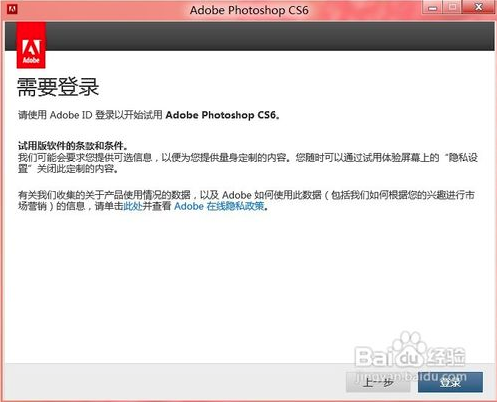
3、进入adobe photoshop cs6登录界面中,点击右下角的【登录】按钮。
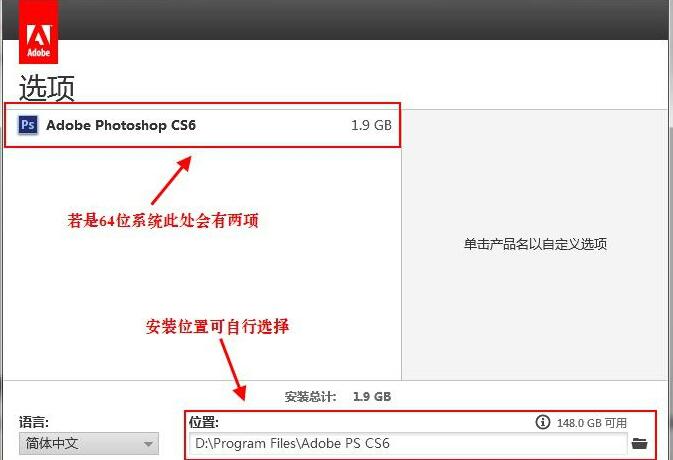
4、登录完成后,进入adobe photoshop cs6安装选项界面中,您可以直接点击【安装】,软件会自动默认安装。或者您可以点击文件夹图标,选择adobe photoshop cs6安装位置,选择完成后点击【安装】即可。
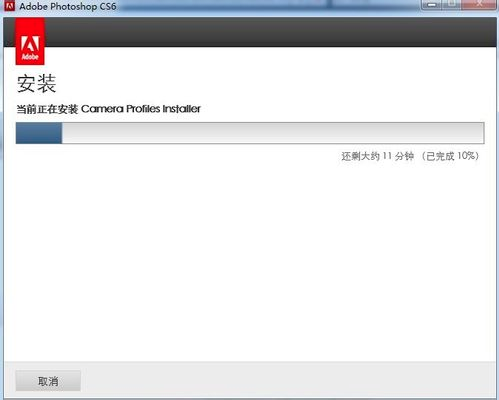
5、adobe photoshop cs6软件正在安装中,软件安装需要6到10分钟,您需要耐心等待即可。
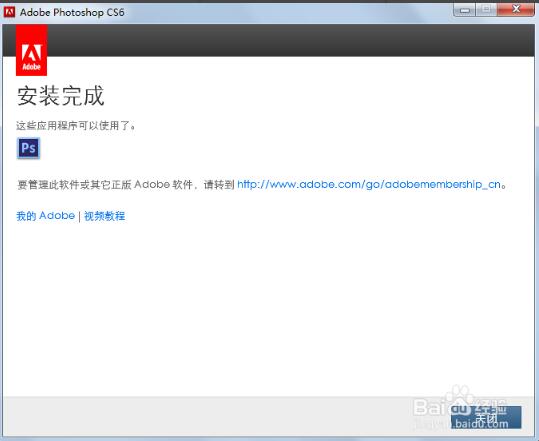
6、adobe photoshop cs6安装完成,您可以点击【关闭】退出软件安装界面。。
Adobe PhotoShop CS6说明
安装前请先卸载PhotoShopCS5,之前安装的第三方滤镜直接复制到CS6新的滤镜目录就可以直接使用。
1、下载PhotoShopCS6官方原版安装包,先以试用的模式安装完成软件。
2、安装完成后运行一次软件,然后关闭。
3、安装完毕只能试用30天(建议购买,保护知识产权)
Adobe Photoshop CS6序列号
1330-1570-6911-1944-1775-4209
1330-1642-2756-9196-6949-7762
1330-1009-5948-8414-3502-0862
1330-1454-4321-1366-3255-4554
以上Photoshop CS6序列号来源于网络,仅供参考!
adobe photoshop cs6怎么抠图?
1、首先打开Photoshop CS6桌面快捷方式,打开后点击左上角“文件”菜单在弹出的选项中点击“打开”,找到你的素材即可。
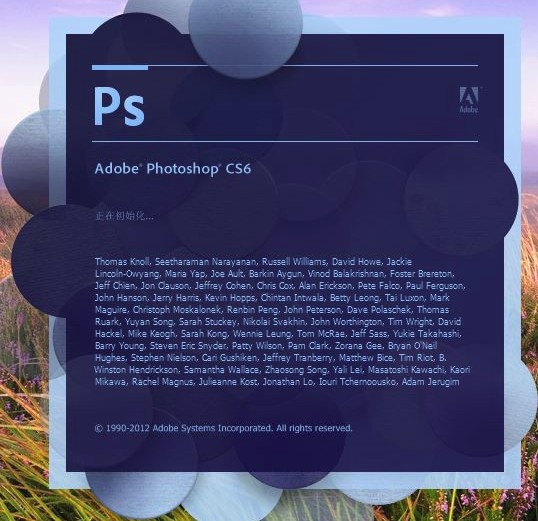
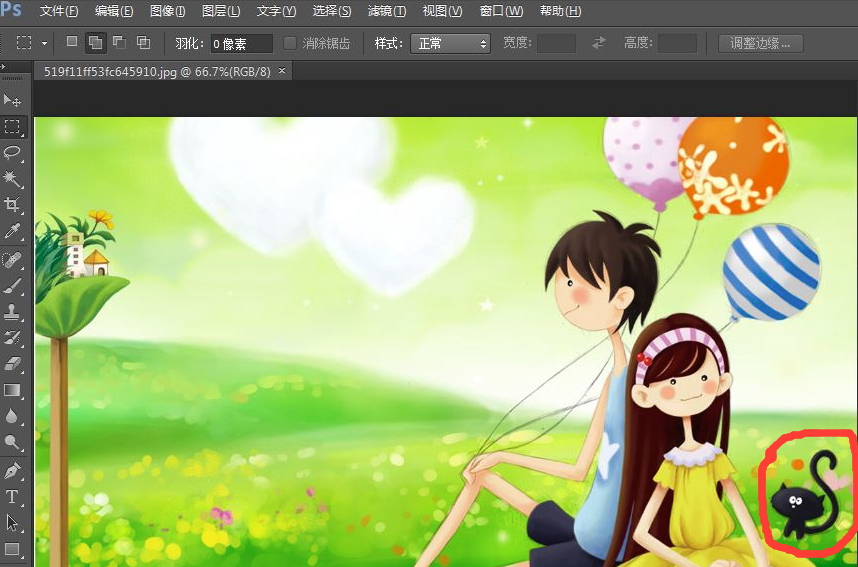
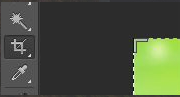
2、打开图片后,点击左侧工具栏的裁剪工具,将图片中的小猫裁剪出来,裁剪完成后,按住Alt键,向上滚动滚轮,将小猫的图片放大到合适大小。

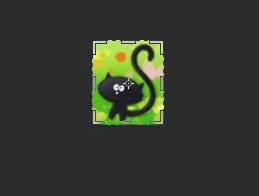

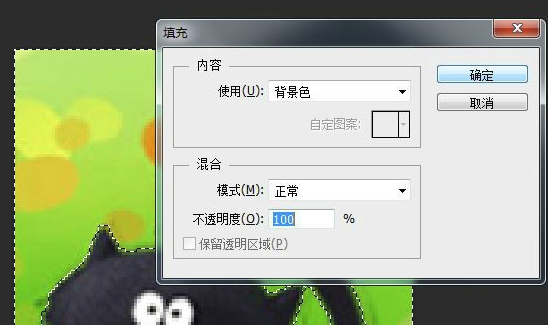
3、再点击左侧工具栏的魔术棒工具,将魔术棒的容差调整为40,然后按shift键点击小猫,将小猫的所有部位都画在虚线中。完成后点击鼠标右键在弹出的选项中选择“选择反向”在填充内容使用选择“背景色”,不透明度选择100%,点击确定,就将小黑猫抠出来了。
注:这里的容差为容许的颜色差别,容差越大,选择的范围越大。当容差为0时,只能选择相同颜色的范围,当容差为255时会选取所有范围
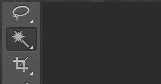



4、双击图层,在弹出的选项中点击“确定”你会发现图层上面的小锁不见了。然后用魔术棒在白色部分点一下,再按Delete键,就可以得到背景透明的小黑猫了。以png格式保存即可。
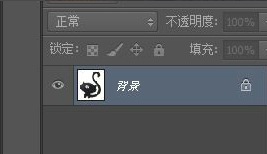
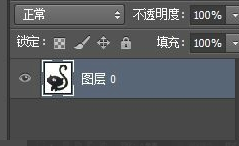
5、在实际的操作过程中,我们会扣一些复杂的图片,这是我们就需要磁性套锁工具。用磁性套索围绕所要抠的人小心的走一圈,构成闭环。同样右键—“选择反向”—按Delete键,就可以将所选部分隔离出来了。在此过程中,要尽量多围一些范围,如果不小心围到了人,就按Backspace键,可以退回到之前的范围。

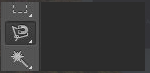


6、如果你画的范围有点大,这时,你可以使用橡皮擦工具将多画出的范围擦去即可。如果擦错了按住Ctrl键和Alt键,再按z键就可以恢复。



如何用Photoshop cs6将多张图片转换为PDF文件?
1、打开Photoshop CS6桌面快捷方式,打开软件后点击顶部菜单栏的“文件”,在弹出的选项中点击“自动”在二级菜单栏中点击“pdf演示文稿”。
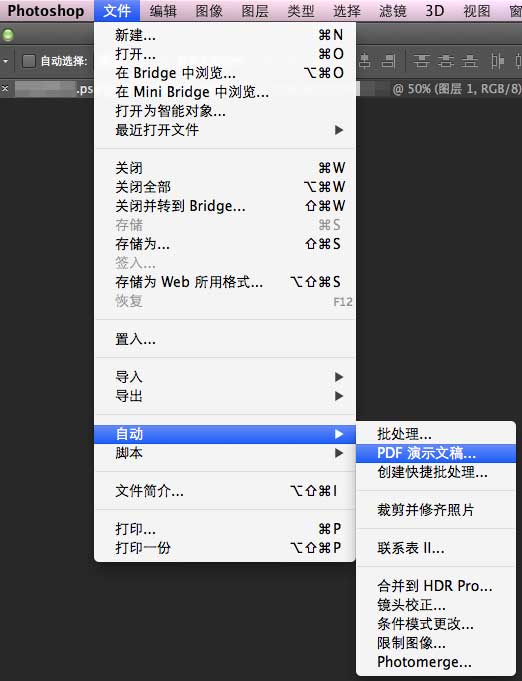
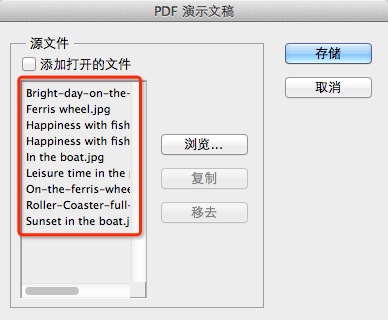
2、在PDF演示文稿设置界面中,点击【浏览】,选择您要创建的图片即可。
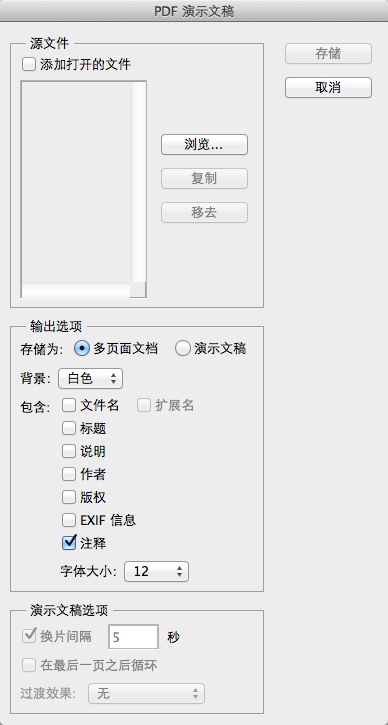
3、您可以给您选择的图片排序,只需要拖动图片的名字就可以对图片进行排序了,排序的顺序会影响PDF输出后的页面顺序。
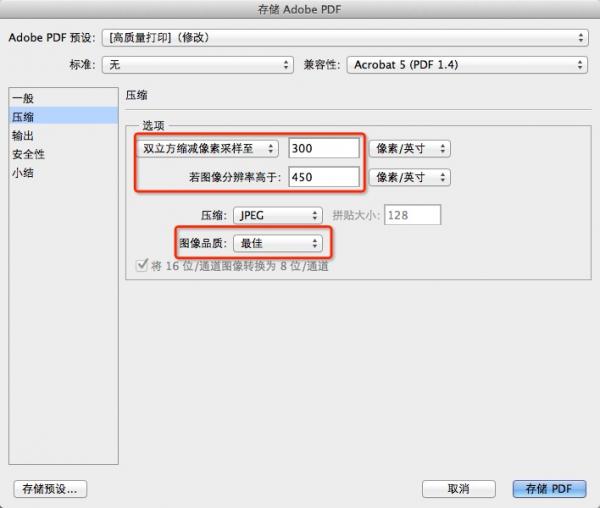
4、您可以根据您的需求进行修改PDF的参数,您可以点击左侧的“压缩”选项,然后在右侧进行修改相应的属性,修改完成后点击【存储PDF】即可。
如何卸载PhotoShop CS6?
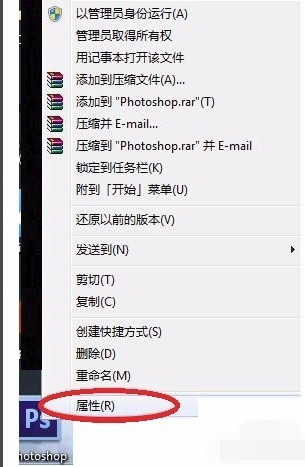
1、找到PhotoShop CS6桌面快捷方式,点击鼠标右键,在弹出的选项中点击“属性”选项。
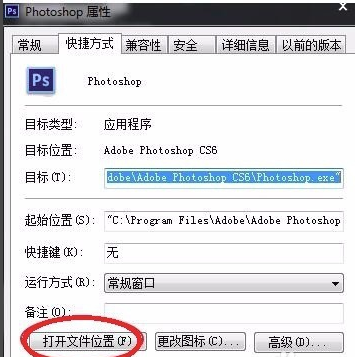
2、在PhotoShop CS6属性界面中,点击左下角的“打开文件位置”按钮。
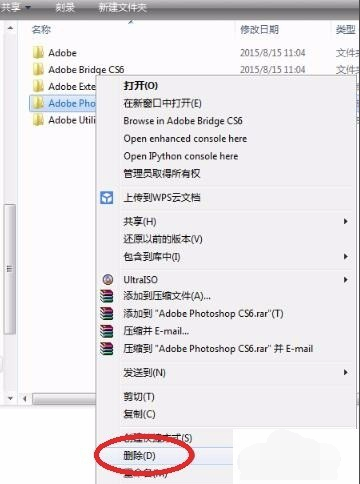
3、打开PhotoShop CS6安装位置界面中,点击鼠标右键选“删除”选项。
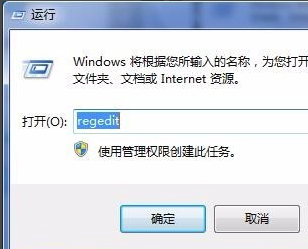
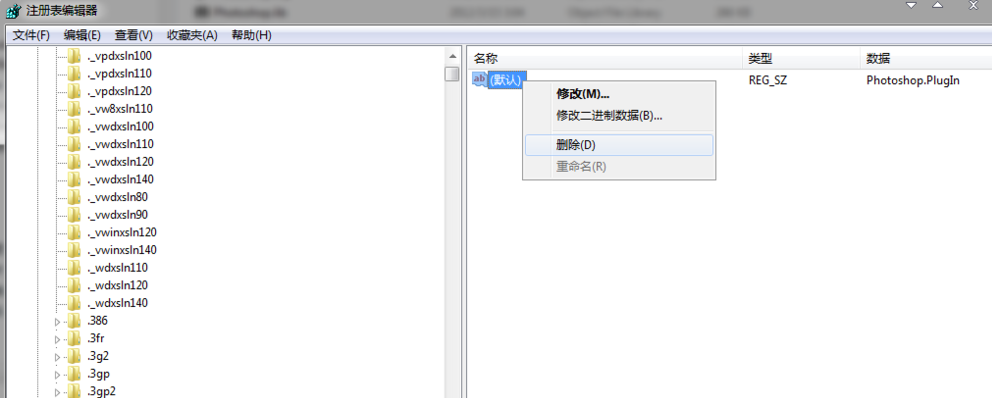
4、按Win键 R键输入REGEDIT打开注册表。
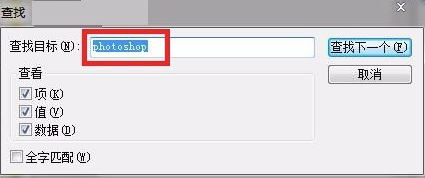
5、打开注册表后,按CTRL F打开搜索框,输入photoshop搜索有关条目。
6、找到相关的photoshop文件点击删除即可。
Adobe Photoshop CS5对比CS6有什么区别
photoshop cs5、photoshop CS6、是随着版本的提高而不断完善。
photoshop CS5:支持宽屏显示器的新式版面。占用面积更小的工具栏。多张照片自动生成全景。改进的消失点特性、更好的32位HDR图像支持。
photoshop CS6:油漆与现实的笔触和混合颜色。原生64位跨平台的支持经验,和windows
全面优化。新版本的Adobe的Photoshop:Adobe PhotoShop的CS6的Adobe AIR的Adobe Device
Central中的Adobe媒体播放器的Adobe CS6的扩展脚本工具包CS6的Adobe扩展管理Adobe字体Adobe Bridge中CS6 CS6

 相关攻略
相关攻略
 淘宝点击软件_淘宝点击软件1_淘宝点击软件有哪些
直通车点击软件_淘宝直通车点击软件_直通车点击软件工具
自动点击软件_监督一点通自动点击软件_最好用的自动点击软件
自动点击器软件哪个好_自动点击器软件哪个好哪个快_自动点击的软件
直通车点击软件_直通车点击软件哪个好奔奔_淘宝直通车点击软件
百度点击排名软件_百度点击排名软件下载_百度点击排名软件有哪些
智能点击器app下载_智能点击器app下载安装_智能点击器app下载苹果版
58点击软件_58点击软件博浩元电子有限公司_58点击软件下载
淘宝直通车点击软件_淘宝直通车点击软件有哪些_淘宝直通车点击软件有用吗
360软件下载_360软件下载怎么选择安装位置_360软件下载app
淘宝点击软件_淘宝点击软件1_淘宝点击软件有哪些
直通车点击软件_淘宝直通车点击软件_直通车点击软件工具
自动点击软件_监督一点通自动点击软件_最好用的自动点击软件
自动点击器软件哪个好_自动点击器软件哪个好哪个快_自动点击的软件
直通车点击软件_直通车点击软件哪个好奔奔_淘宝直通车点击软件
百度点击排名软件_百度点击排名软件下载_百度点击排名软件有哪些
智能点击器app下载_智能点击器app下载安装_智能点击器app下载苹果版
58点击软件_58点击软件博浩元电子有限公司_58点击软件下载
淘宝直通车点击软件_淘宝直通车点击软件有哪些_淘宝直通车点击软件有用吗
360软件下载_360软件下载怎么选择安装位置_360软件下载app
 相关专题
相关专题
多特软件专题为您提供点击软件,屏幕点击软件,手机屏幕自动点击软件,安卓苹果版软件app一应俱全。
多特软件站为您提供最新刷点击软件软件专题,在这里安卓版苹果版等应用应有尽有,找最新刷点击软件就来多特软件站。
点击游戏,顾名思义,允许玩家点击鼠标的形式来完成游戏,这是更著名的点击英雄。点击游戏可以使玩家只需使用鼠标就可以轻松地玩游戏。游戏类型基本上是基于解谜、培养等。这是一个点击游戏列表和相应的点击游戏下载。多特软件专题为您提供点击类游戏,安卓点击类游戏,可以转生的点击类游戏。多特软件站只提供绿色、无毒、无插件、无木马的纯绿色软件下载。
多特软件园为您整理了多款点击器软件软件,在多特您能下载多款正规的、无毒软件,其中有自动点击器软件、魔力自动点击器软件、飞鹰点击软件等App,找软件一定要找正规平台,多特每一款软件都进行查杀,确保软件安全,想要找点击器软件应用,赶紧来多特软件园看看吧。
多特软件专题为您提供seo点击工具,seo工具,seo外链工具;安卓苹果版软件app一应俱全。多特软件站只提供绿色、无毒、无插件、无木马的纯绿色工具下载
 同类排行
同类排行
 最近更新
最近更新