Hey creatives! Are you tired of accidentally moving your design elements around in Canva while working on that masterpiece? Fret not, because today we're unlocking the secret to Keeping your artwork in place! With Canva's nifty feature, locking layers is a breeze. It's a simple yet effective way to ensure your design stays just as you want it. In this quick guide, we'll show you how to master the art of layer locking in Canva, so you can focus on what truly matters - crafting stunning Visuals without any unwanted surprises. Let's dive in and secure those layers like a pro!

1、首先打开canva,进入编辑页面,点击想要锁定的内容;

2、底部出现菜单栏,点击其中的锁住功能;
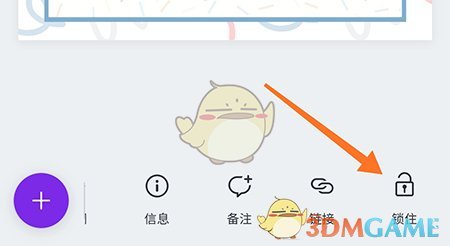
3、然后就可以看到内容被锁定,不能进行其他操作。

以上就是小编带来的canva怎么锁定?canva可画锁定图层方法,更多相关资讯教程,请关注多特手游手游网。
 相关攻略
相关攻略