Hey music enthusiasts! Are you ready to dive into the exciting world of Phigros, where rhythm and skill collide? This innovative rhythm game offers a thrilling challenge with its diverse difficulty levels - EZ, HD, IN, AT, SP, and even Legacy! If you've ever found yourself wondering how to tailor your gameplay experience in Phigros, look no further. We've got you covered with a straightforward guide on adjusting those pulse-pounding difficulties. Just a few taps, and you're on your way to mastering those catchy tunes at your preferred level. So, let's hit the play button and explore how to navigate through Phigros' musical maze!
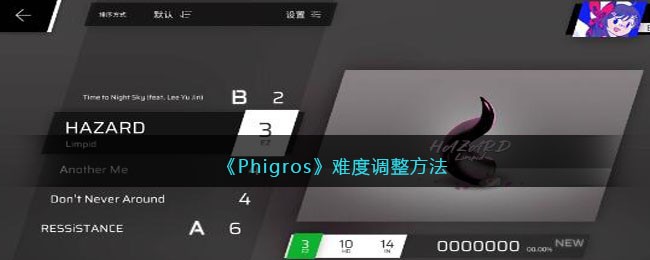
1、进入游戏主界面,点击想要弹奏的歌曲,可以看到歌曲图片左下角有3个白色块。哪一个白色块变成蓝色就说明现在歌曲弹奏位于哪个程度。
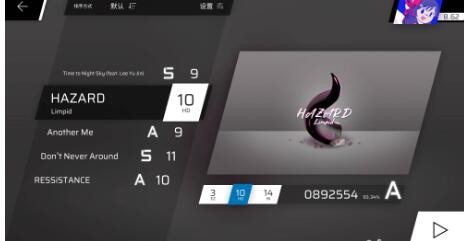
注意:最左边的白色块代表初级难度,中间的白色块代表中级难度,最右侧的白色块代表高级难度。
2、点击最左侧的白色块就是初级难度,最右侧的白色块为高级难度。如下图所示:
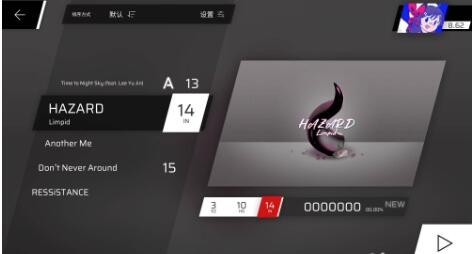
游戏难度如下:
EZ(目前1-7级,在前期更新曲目【狂喜兰舞】中EZ为11级,它之后成为了HD):Easy的缩写,指简单难度。
HD(3-12级):Hard的缩写,指困难难度。
IN(6-15级):Insane的缩写,指疯狂难度(直译)
AT(13-16级):Another的缩写,指“另外”难度(也是直译)
SP(无具体定级):Special的缩写,指特殊曲目。
Legacy(范围不定):IN难度的旧谱,需要在解锁曲目【Rrhar'il】任意难度后才能解锁,在早期版本中,解锁【Igallta】也可以解锁Legacy谱面。
 相关攻略
相关攻略 最新攻略
最新攻略