Hey there, word warriors! Ever stumbled upon a digital vocabulary battlefield where old data clutters your progress like yesterday's leftovers? Well, buckle up and brace yourself for a game-changing revelation! Today, we're diving headfirst into the nitty-gritty of how to spring clean your "Zhi Mi Bei Dan Ci" (that's "知米背单词" in pinyin, aka Know Rice Vocabulary) app with the finesse of a pro. You know what they say, "Out with the old, in with the new," and that's exactly what we're aiming for—to revitalize your learning experience by clearing out those pesky cache files that might be holding you back. So, without further ado, let's embark on this refreshing journey together, shall we? Trust us, your study sessions will thank you later! Now, let's get down to business and see how it's done...

1、打开知米背单词,然后点击我的。
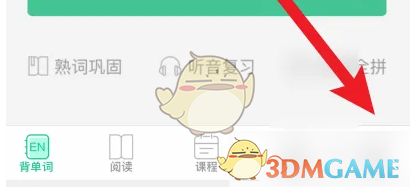
2、再点击上方设置。

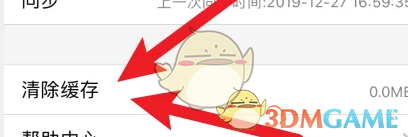
3、然后点击清除缓存。
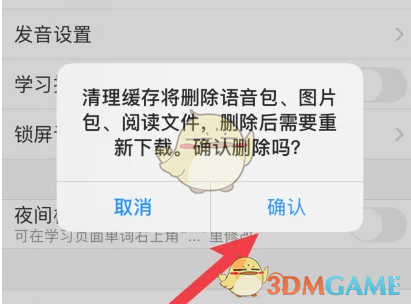
4、最后点击确定清除就可以了。
以上就是小编带来的知米背单词怎么清除数据?清除缓存数据方法,更多相关资讯教程,请关注多特手游手游网。
 相关攻略
相关攻略 近期热点
近期热点 最新攻略
最新攻略