
<h3 style="height: 36px;l
阅读人气:0
用户评分:7.0分
共有0评论
阅读全文

<h3 style="height: 36px;l
阅读人气:0
用户评分:7.0分
共有0评论
阅读全文

<h3 style="height
阅读人气:0
用户评分:7.0分
共有0评论
阅读全文
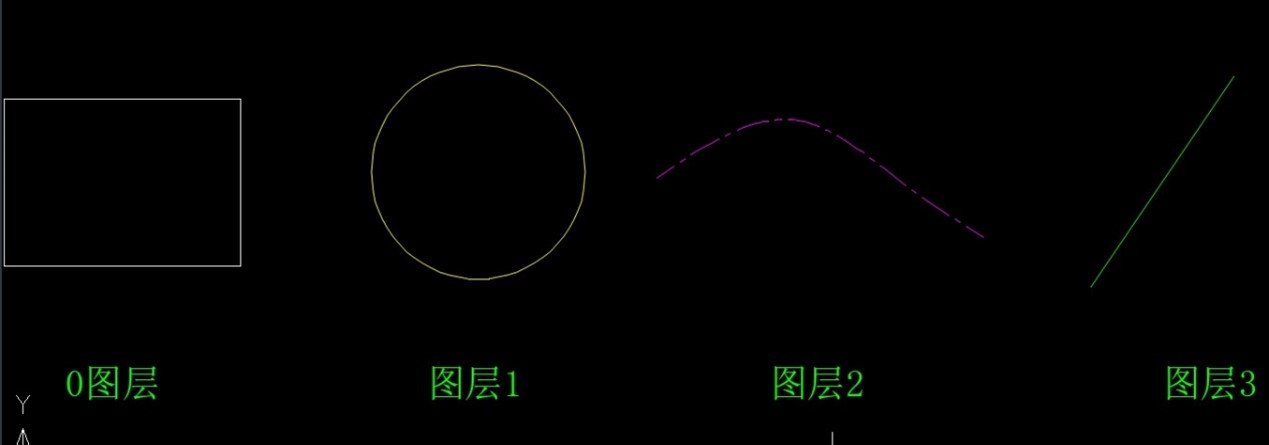
在CAD中,合并不同的图层是一个常见的操作需求。接下来,小编将以中望软件为例,详细为大家讲解如何完成这一操作。
阅读人气:0
用户评分:7.0分
共有0评论
阅读全文

在CAD绘图过程中,调整已绘制图形的图层特性,使其符合特定的图层设置,是提升图纸组织和管理效率的关键步骤。特别是将图形的图层特性调为“随层”
阅读人气:0
用户评分:7.0分
共有0评论
阅读全文

在CAD绘图软件中,管理图形所在图层是设计过程中不可或缺的一环,它能有效帮助你组织和优化图纸内容。将已有的图形改变图层
阅读人气:0
用户评分:7.0分
共有0评论
阅读全文

<h3 style="height: 36px;
阅读人气:0
用户评分:7.0分
共有0评论
阅读全文

<h3 style="height: 36px;line-heig
阅读人气:0
用户评分:7.0分
共有0评论
阅读全文

<h3 style="height: 36px;lin
阅读人气:0
用户评分:7.0分
共有0评论
阅读全文

<h3 style="height: 36px;li
阅读人气:0
用户评分:7.0分
共有0评论
阅读全文

<h3 style="height: 36px;line
阅读人气:0
用户评分:7.0分
共有0评论
阅读全文

<h3 style="height: 36px;line
阅读人气:0
用户评分:7.0分
共有0评论
阅读全文

<h3 style="height: 36px;line-heig
阅读人气:0
用户评分:7.0分
共有0评论
阅读全文

<h3 style="height: 36px;l
阅读人气:0
用户评分:7.0分
共有0评论
阅读全文

<h3 style="height: 36px;line-hei
阅读人气:0
用户评分:7.0分
共有0评论
阅读全文

<h3 style="height: 36px;line
阅读人气:0
用户评分:7.0分
共有0评论
阅读全文

<h3 style="height: 36px;li
阅读人气:0
用户评分:7.0分
共有0评论
阅读全文

<h3 style="height: 36px;line-he
阅读人气:0
用户评分:7.0分
共有0评论
阅读全文

<h3 style="height: 36px;lin
阅读人气:0
用户评分:7.0分
共有0评论
阅读全文

<h3 style="height: 36px;line-he
阅读人气:0
用户评分:7.0分
共有0评论
阅读全文