<h3 style="height: 36px;l
阅读人气:0
用户评分:7.0分
共有0评论
阅读全文

<h3 style="height: 36px;lin
阅读人气:0
用户评分:7.0分
共有0评论
阅读全文

<h3 style="height: 36px;l
阅读人气:0
用户评分:7.0分
共有0评论
阅读全文

<h3 style="height: 36px;line-
阅读人气:0
用户评分:7.0分
共有0评论
阅读全文
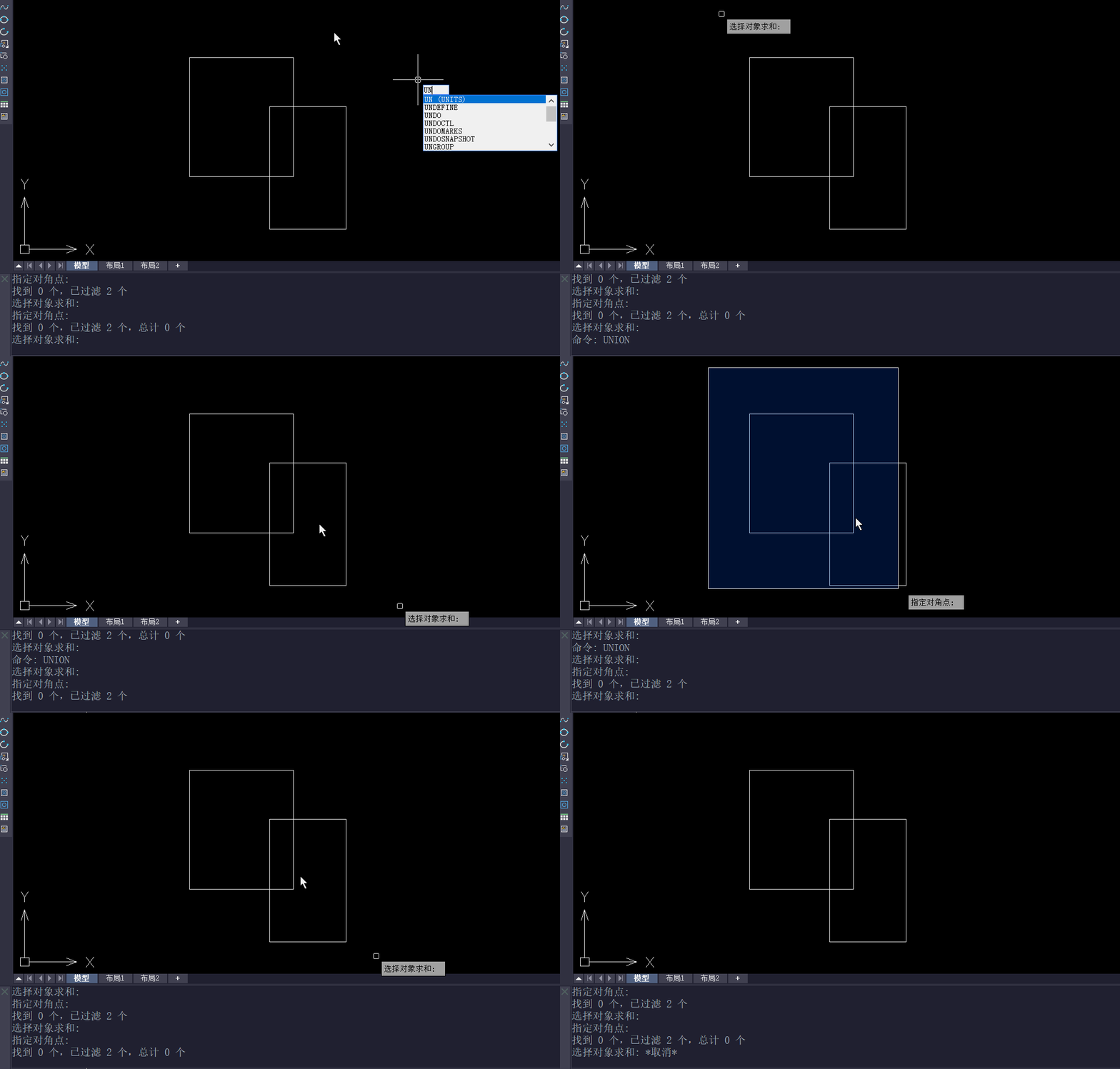
CAD中的并集功能主要用于将两个或多个独立的几何对象合并成一个单一的对象。这个功能在进行复杂图形设计时非常有用,因为它允许设计师将多个元素无缝地组合在一起
阅读人气:0
用户评分:7.0分
共有0评论
阅读全文
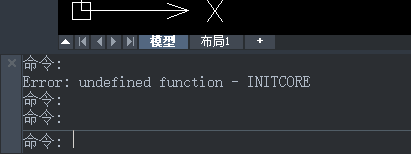
  在我们使用CAD软件的过程中,我们有时候回哦恩岛命令行提示错误的情况。在这种时候,系统一般会显示"Undefined function"语句。
阅读人气:0
用户评分:7.0分
共有0评论
阅读全文
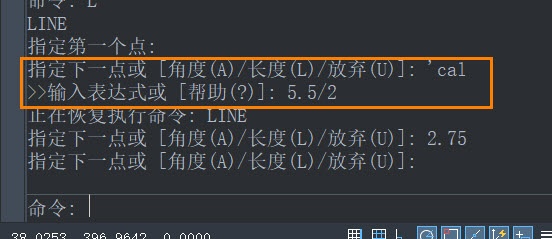
在CAD软件中,通过表达式设置数值参数是一种高效的方法,它允许用户动态地控制绘图元素的尺寸和位置。这种方法不仅提高了设计的灵活性
阅读人气:0
用户评分:7.0分
共有0评论
阅读全文

<h3 style="height: 36px;line-height:
阅读人气:0
用户评分:7.0分
共有0评论
阅读全文

<h3 style="height: 36px;l
阅读人气:0
用户评分:7.0分
共有0评论
阅读全文

<h3 style="height: 36px;lin
阅读人气:0
用户评分:7.0分
共有0评论
阅读全文

<h3 style="height: 36px;line-he
阅读人气:0
用户评分:7.0分
共有0评论
阅读全文

<h3 style="height: 36px;line-
阅读人气:0
用户评分:7.0分
共有0评论
阅读全文

<h3 style="height: 36px;l
阅读人气:0
用户评分:7.0分
共有0评论
阅读全文

<h3 style="height: 36px;line-heig
阅读人气:0
用户评分:7.0分
共有0评论
阅读全文

<h3 style="height: 36px;lin
阅读人气:0
用户评分:7.0分
共有0评论
阅读全文

<h3 style="height: 36px;l
阅读人气:0
用户评分:7.0分
共有0评论
阅读全文

<h3 style="height: 36px
阅读人气:0
用户评分:7.0分
共有0评论
阅读全文

<h3 style="height: 36px;line-
阅读人气:0
用户评分:7.0分
共有0评论
阅读全文

<h3 style="height: 36
阅读人气:0
用户评分:7.0分
共有0评论
阅读全文

<h3 style="height: 36px;
阅读人气:0
用户评分:7.0分
共有0评论
阅读全文