Hey there, tech enthusiasts! Are you tired of typing on your tiny smartphone screen and longing for a more convenient way to input text? Look no further than Airdroid's Remote Input Feature! This nifty tool lets you harness the power of your computer's keyboard for Seamless mobile typing. Just imagine - no more squinting at small keys or fumbling with autocorrect. In this guide, we'll show you how to unlock the magic of Airdroid's Remote Input and revolutionize your digital life. Get ready to boost your productivity with a simple click! So, let's dive in and discover how to turn on this game-changing feature.
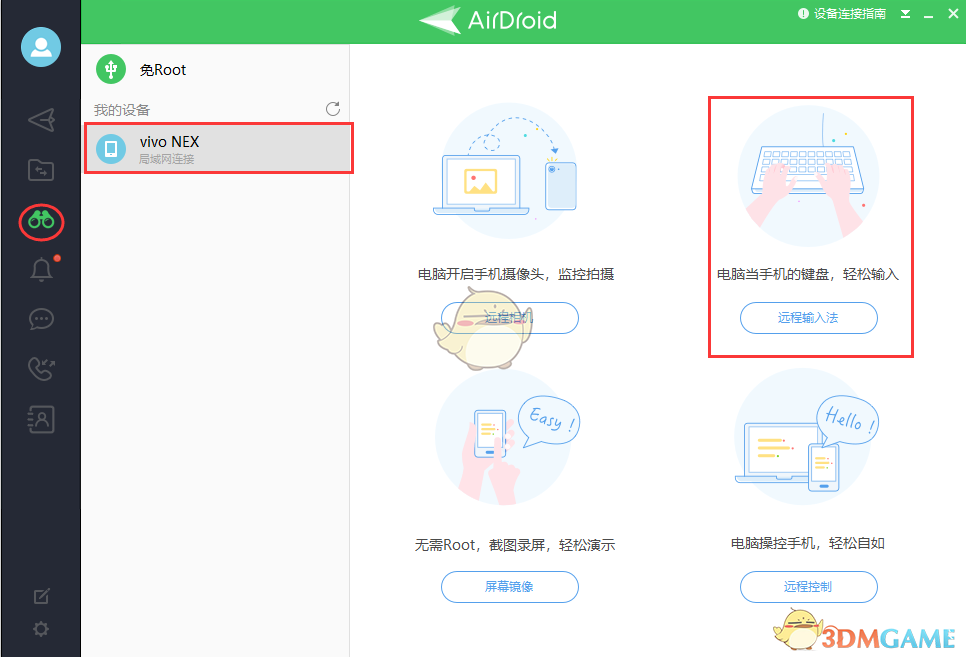
2、连接后,将看到一条消息,显示“ AirDroid 远程输入法已打开”。单击文本框,可以开始使用电脑的键盘在手机上输入内容。
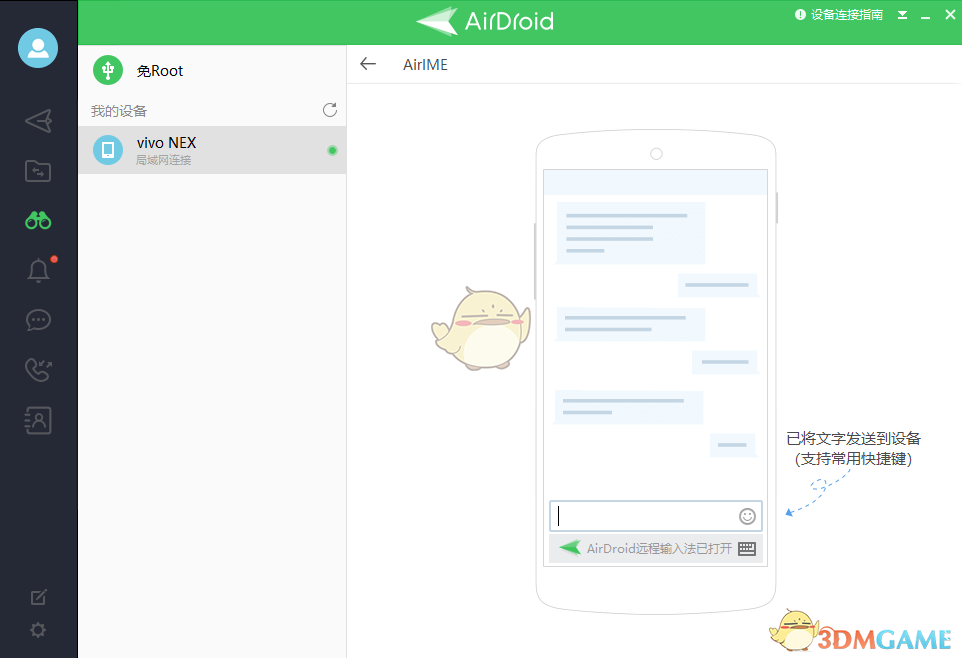
注意:远程输入法不会在输入时看到正在输入的内容。输入完成后,可以在手机看到它。
以上就是小编带来的airdroid远程输入法怎么打开?airdroid远程输入法使用教程,更多相关资讯教程,请关注多特手游手游网。
 相关攻略
相关攻略 近期热点
近期热点 最新攻略
最新攻略